

If you’re into astrophotography, you’ll reach a point where standard tools like Adobe Lightroom and Photoshop will only get you so far. Although these tools work as expected from an image-editing perspective, astrophotography requires you to work from a slightly different set of rules — often aligning, calibrating and stacking images of celestial objects — and many standard tools often don’t provide these features.
Enter Siril, a free, open-source astronomical image-processing software designed to meet the needs of astrophotography enthusiasts. It’s compatible with Linux, Windows and macOS, and it’s becoming an increasingly popular choice among amateur astronomers who are seeking a cost-effective, at-home solution for their image-processing needs. We took the 1.2.6 version of the software for a spin to find out how it works.
Siril astrophotography software review
Siril astrophotography software: Pricing

- Free due to open-source approach
- Frequent updates that are often shared across the community
Specifications
Operating system: Linux (most distros), macOS 10.13 or later, or Windows 10 (64-bit)
CPU: Dual-core processor (Intel or AMD)
RAM: 4GB
Storage: SSD recommended; at least 2GB free (more for image files)
GPU: Integrated graphics should work (Siril doesn’t require heavy GPU usage)
Display: 1280 x 768 resolution
Siril is distributed under the GNU General Public License v3.0, allowing users to download, use and modify the software at no cost, as long as the right credit and credentials are provided where appropriate. If you use Siril in any of your work, you’re asked to credit the software using specific information featured on the Siril homepage. At a time of mass consumer photo editing software, this rather DIY, homespun approach that used to be the norm in the early days of computing is nice to see — and worth supporting.
The software is available for Linux, Windows and macOS, ensuring accessibility for a wide range of users. And because it’s based on community-driven development, the software benefits from contributions from a dedicated group of developers and users who continuously work to improve the features and performance. The commitment to being a free and open-source tool makes Siril an attractive option for budget-conscious astrophotographers, as there are no costly subscriptions. What you get instead, however, is a steeper learning curve and less of a focus on shiny user-interface features to help you through the process — there’s a lot to learn in Siril.
Siril astrophotography software: User interface

- Minimal user interface that may be unfamiliar to some
- Simple navigation once you understand the workflow
When presented with the initial view of Siril, you’d be forgiven for thinking the overall effect is a little intimidating, and perhaps akin to some of the early image-processing, script-based software programs you may have used in years gone by. But it’s worth persevering; Siril’s interface is organized into tabs that guide users through the sequential steps of image processing, from calibration to enhancement, and it’s quite well laid out when you know what you’re looking for. Before you delve into anything, visit the Siril tutorial section, which guides you through everything from getting started with the software to learning how to automate scripts, work with more advanced images, use noise reduction and complete complex computations, depending on the results you’re after.
You’ll be presented with an initial screen, and if you follow the tutorial, you’ll need to put all of the images you want to work with in a separate folder and, within that, four other folders for “darks,” “lights,” “flats” and “biases.” Once you do that, you can run a preprocessing script that essentially stacks these images for you automatically.
Siril astrophotography software: Key features

- Powerful automated stacking
- Postprocessing features that produce fantastic results
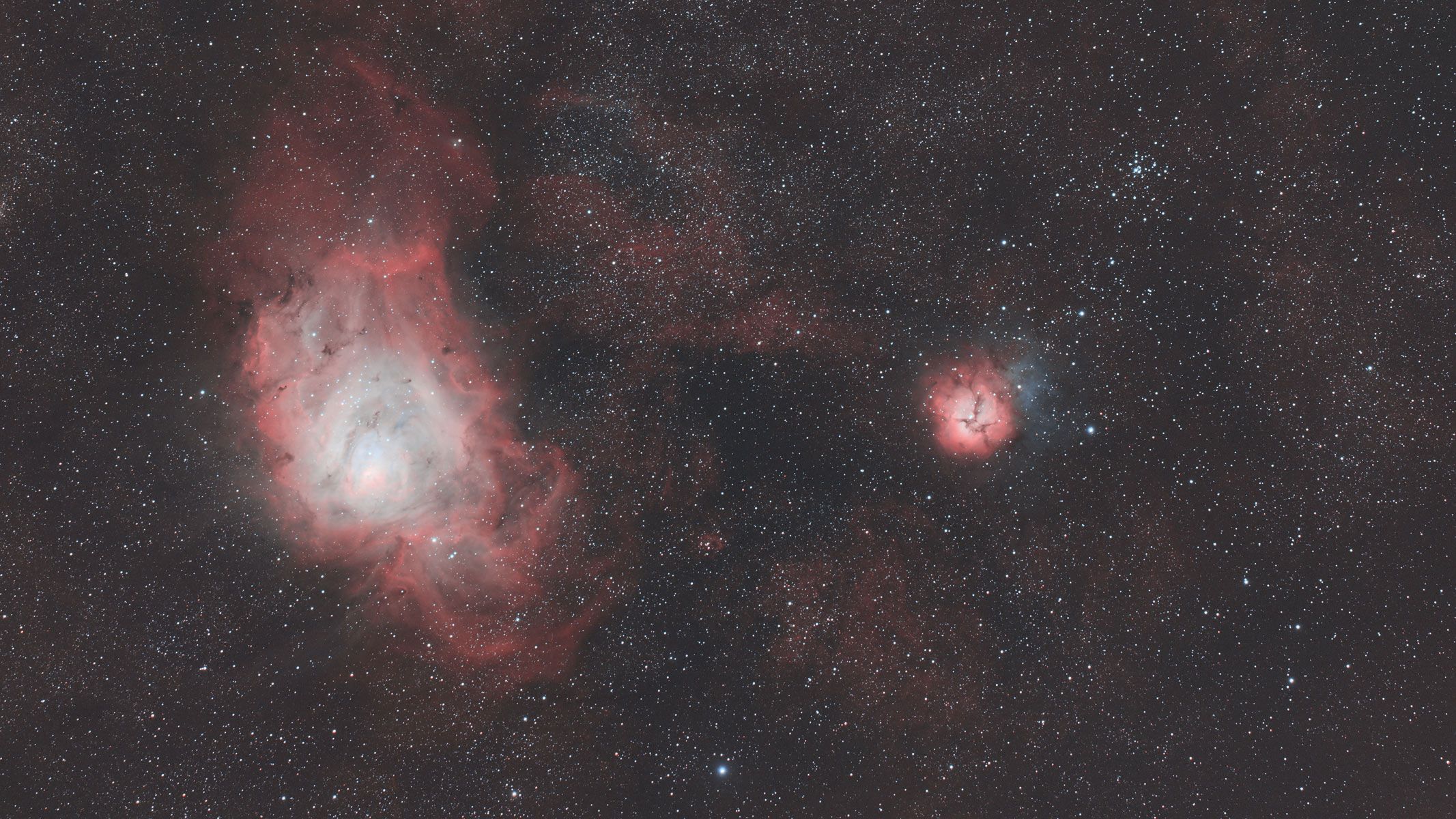
Once this stacking is completed, you will be presented with a file to open. This file will render your picture with all of the combined images together. (It will be placed in the Home folder, and you can open it by pressing Open on the top left of the Siril window.) You’re not done yet, though. What you’ll be presented with at first may look like a blurry, black-and-white approximation of what you hope your final image will look like.
There are a few steps to be completed next, including extracting the background and gradient, and using photometric color calibration to calculate the light that’s emitted from each celestial body to correct the color. This feature is especially impressive, as the software will connect to global star databases and identify which stars and deep-sky bodies are in your image. If there’s a match, it will automatically adjust the image to correct the color and focus based on these areas of the image you wish to highlight. It also offers multiple star alignment methods, including global star alignment and one-star alignment, thus facilitating the precise stacking of images to improve output.
All of this points to an advanced image-enhancement capability that sets Siril apart from other image-editing software. Its feature set encompasses the essential tools required for high-quality astrophotography image processing, especially of deeper space and detailed images. The preprocessing capabilities address common issues, such as sensor noise and vignetting, and lay a solid foundation for subsequent processing steps.
Siril astrophotography software: Astrophotography features

- Noise reduction algorithms
- Automated star recognition, which is powerful for color correction
In addition to the photometric analysis tools that can enable you to study a range of dark-sky features, the astro features of Siril extend beyond just image processing. Siril can handle a wide range of image and video formats, providing flexibility in data input and output. It’s possible to use the software for a variety of scientific research applications, thanks to the rich detail it provides.
At the heart of Siril lies its scripting model. The ability to create and execute scripts enhances efficiency dramatically when you’re dealing with extensive collections of high-quality images. The best part is that it is also highly customizable. If you know how, you can write your own scripts to edit specific elements of images.
From an astro perspective, one of Siril’s key strengths is the way it handles noise during the stacking process when it aligns and combines multiple exposures. By stacking many frames, Siril uses statistical methods — like median or average stacking with rejection algorithms (e.g., sigma clipping or Winsorized sigma) — to naturally reduce random noise, such as thermal or read noise, while preserving real signals, like stars and nebulae.
Powerful background-extraction and gradient-removal tools help suppress unwanted light pollution or uneven illumination that can resemble noise, and post-processing. It offers wavelet-based denoising, allowing users to target noise at different levels of detail. This method preserves fine structures while minimizing grain, which is a critical feature for astrophotography, where the detail of your image is everything.
Should you download the Siril astrophotography software?
Buy it if:
✅ You want free astrophotography software: Siril is free to use, making it accessible to everyone but there is a steep learning curve.
✅ You need powerful software: Siril moves beyond the capabilities of Photoshop and Lightroom.
Don’t buy it if:
❌ You don’t want to put the time or effort into learning technical, complicated software: Unfortunately, Siril will take time to navigate and learn to a good degree.
There’s a lot to learn in the world of astrophotography, but when it comes to image editing, Siril opens up a whole new world by giving you ultimate control over your images. Because the software is open-source, it benefits from a huge amount of online information about it, and there are plenty of tutorials, images to practice on and expert guidance available for free, which is commendable in its own right.
For these reasons, I highly recommend Siril, and there are few competitors, especially when you consider this software is open-source and offered to the community for free.
For many people who are happy to tackle the formidable task of learning Siril inside out, there’s no doubt that this software will be an invaluable resource for both seasoned and novice astrophotographers. By continually evolving through community-driven development, Siril ensures that users will always have access to cutting-edge tools for capturing and processing the wonders of the night sky.
If the Siril astrophotography software isn’t for you
While Siril has a steep learning curve, Skylum Luminar Neo allows for fast editing and is affordable. There are many one-click editing tools available as well as AI tools to help make the job easier. If you’re looking for a good software for noise reduction, DxO PhotoLab 7 should be your go-to. It has the best noise removal tool that we’ve tested.
If you’re looking to only edit astro photos, Affinity Photo 2 is your best option. We’ve rated it as the best photo editing app for astro in our best photo editing apps guide. You can stack various types of calibration frames and it has a handy AI editing tool.
