

Close Menu
TheWireHubTheWireHub

    Subscribe to Updates

    Get the latest creative news from FooBar about art, design and business.

    What's Hot

    Nubank Wins Conditional Approval for US National Bank Charter

    January 31, 2026

    Here’s how Elon Musk’s SpaceX–Tesla merger could impact 20,000 bitcoin (BTC)

    January 31, 2026

    Phone chips are getting scarcer and more expensive in 2026

    January 31, 2026
    Facebook X (Twitter) Instagram
    Trending
    • Nubank Wins Conditional Approval for US National Bank Charter
    • Here’s how Elon Musk’s SpaceX–Tesla merger could impact 20,000 bitcoin (BTC)
    • Phone chips are getting scarcer and more expensive in 2026
    • KnightPips Expands Access to Global Markets for UK Traders With Commission-Free Trading Platform
    • Experts share their top tips to save money this holiday season
    • iPhone 5s Gets New Software Update 13 Years After Launch
    • Data centers are facing an image problem. The tech industry is spending millions to rebrand them.
    • Solidat Applied Technologies Ltd.: Leading Manufacturer of Industrial Automation and Intelligent Equipment – IndyStar
    TheWireHubTheWireHub
    • Home
    • Tech News
    • Personal Finance
    • Investments
    • Software & Apps
    • Cryptocurrency & Blockchain
    • More
      • AI & Future Tech
      • Gadgets & Devices
      • Banking & Insurance
    TheWireHubTheWireHub
    Home»Software & Apps»Should you update to the new Pages, Numbers, Keynote, and Freeform on Mac?
    Software & Apps

    Should you update to the new Pages, Numbers, Keynote, and Freeform on Mac?

    TheWireHub.netBy TheWireHub.netJanuary 30, 2026No Comments3 Views
    Facebook Twitter Pinterest LinkedIn WhatsApp Reddit Tumblr Email
    Should you update to the new Pages, Numbers, Keynote, and Freeform on Mac?
    Share
    Facebook Twitter LinkedIn Pinterest Email
    Thank you for the notice, bro. I’ll fix it as soon as possible and get back to you shortly.

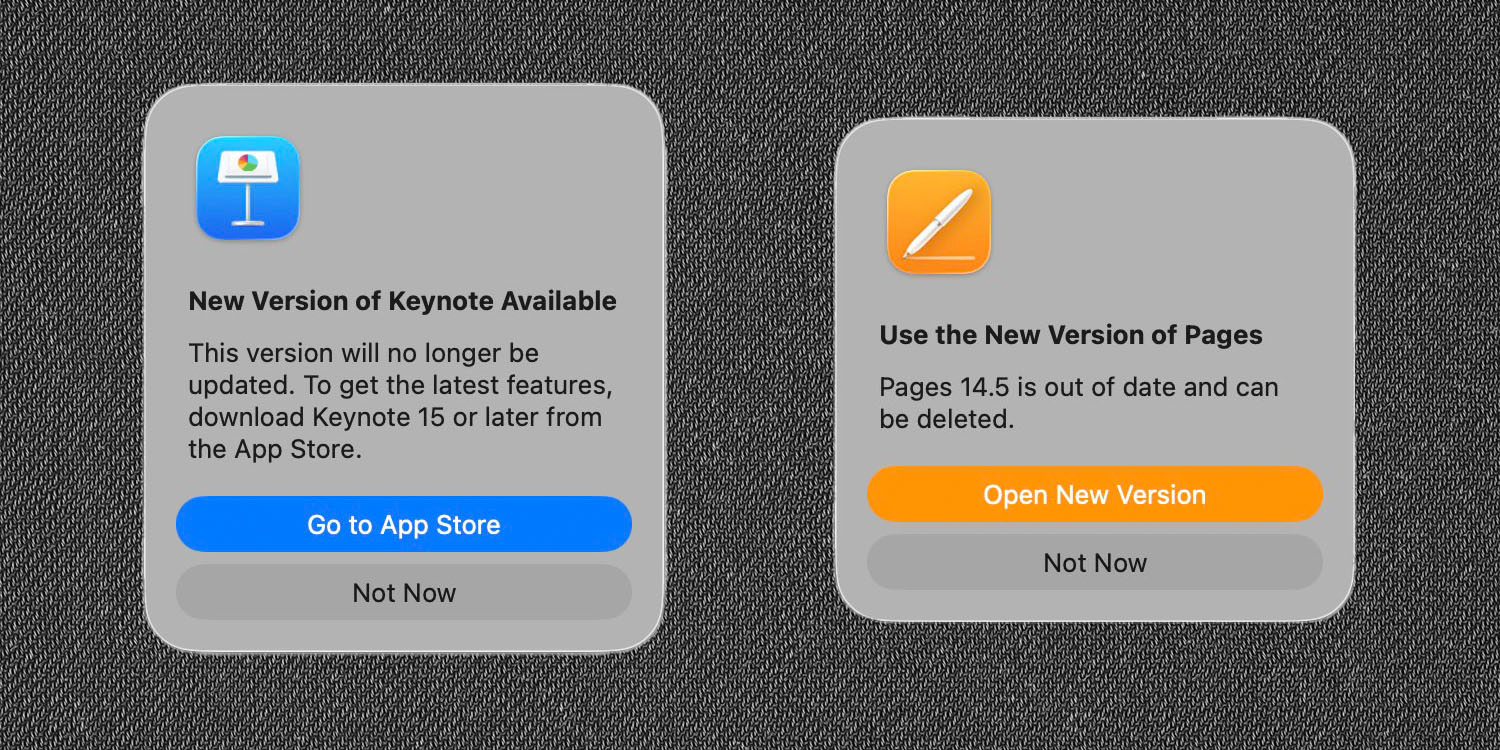
    Should you update to the new Pages, Numbers, and Keynote on Mac? | Screenshots of the prompts to update

    Yesterday’s launch of Apple Creator Studio (ACS) created a certain amount of confusion for Mac users not planning to subscribe.

    Some users of Apple’s productivity apps – Pages, Numbers, Keynote, and Freeform – were left wondering whether or not they should accept an invitation to update …

    Apple prompts you to update

    When you open one of Apple’s productivity apps on a Mac, you are prompted to update it to the freemium ACS version. The wording seems reasonably insistent that you should do so.

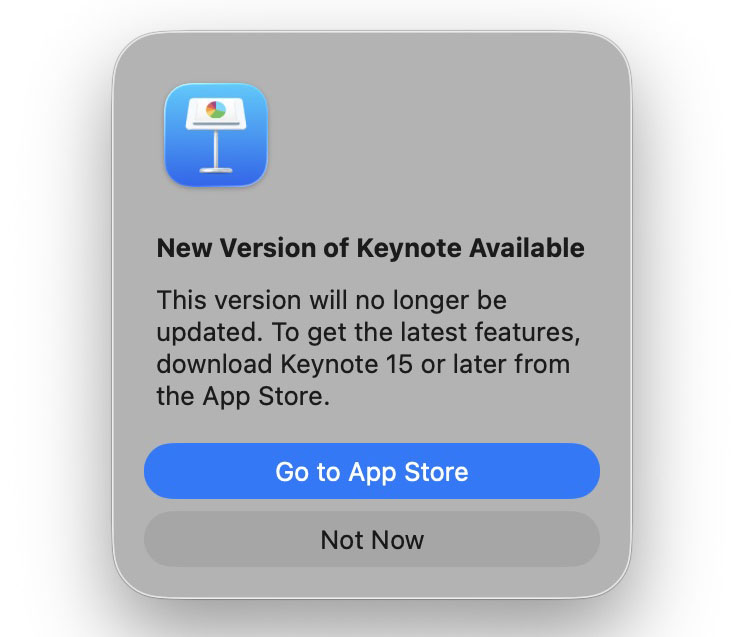
    This version will no longer be updated. To get the latest features, download 15 or later from the App Store.

    This is what it looks like for Keynote, for example:
    But some users are concerned

    Some users have expressed concerns that this might put them at risk of later being forced to subscribe in order to keep using the apps. While Apple has said that core functionality will remain free forever, not everybody trusts this proclamation.

    “They could say anything and change tune when they think the market penetration of MacOS is high enough.”

    “IKR? These threads are full of people who say ‘Apple said this’ and ‘Apple said that’ as if they actually believe it. Companies say all kinds of stuff to get their way and who will hold them accountable when they (with historical precedent and evidence based on common place corporate business practices) unilaterally decide that they are going to do something else?”

    These fears were heightened when installing the new versions prompts you to delete the originals:
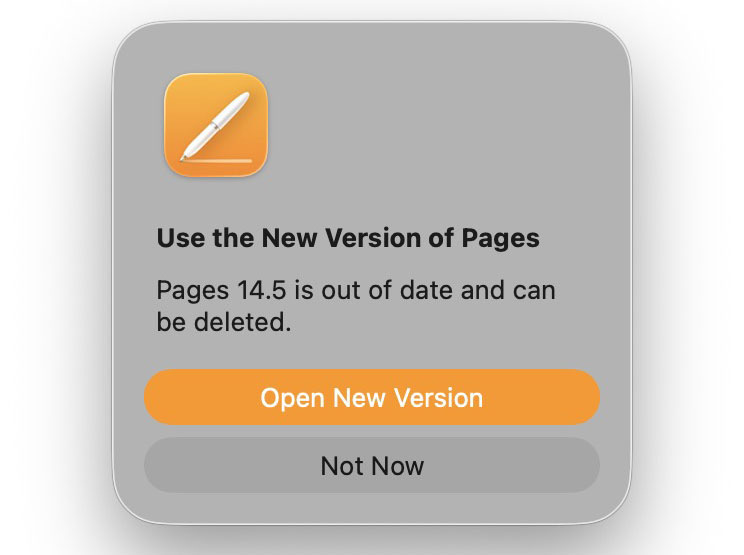
    Additionally, the original versions appear to have disappeared from the App Store, so there would seem to be no way of changing your mind and reinstalling the originals if you do delete them.

    However, it appears perfectly safe

    Having tried it, however, I can confirm that the old versions are not removed from your Mac when you install the new ones, meaning that you can choose which one to use. This results in the strange-looking situation of two different versions of each app with the same names in your Applications folder.

    As Sound Mac Guy notes, Apple achieves this trick of having two simultaneous versions by keeping the display names identical but having a new path.
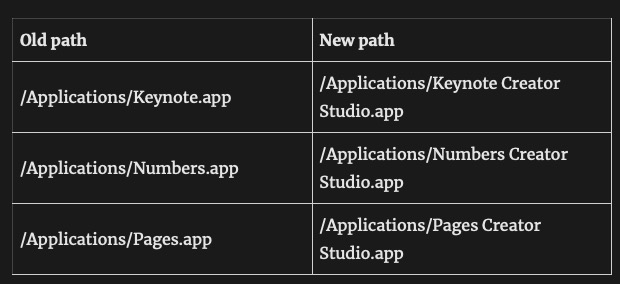
    If for any reason you are unhappy with the ACS version, you can simply delete this and continue using the original.

    Are you likely to want to revert?

    I personally consider it unlikely that Apple would go back on its word on such a fundamental issue. However, I am playing safe by keeping the old versions installed.

    There are a couple of reasons why you might choose to continue using the originals rather than the ACS versions. The first is a somewhat intrusive invitation to subscribe. When you create a new Pages document, for example, you’ll see that as the most prominent option ahead of the built-in templates.
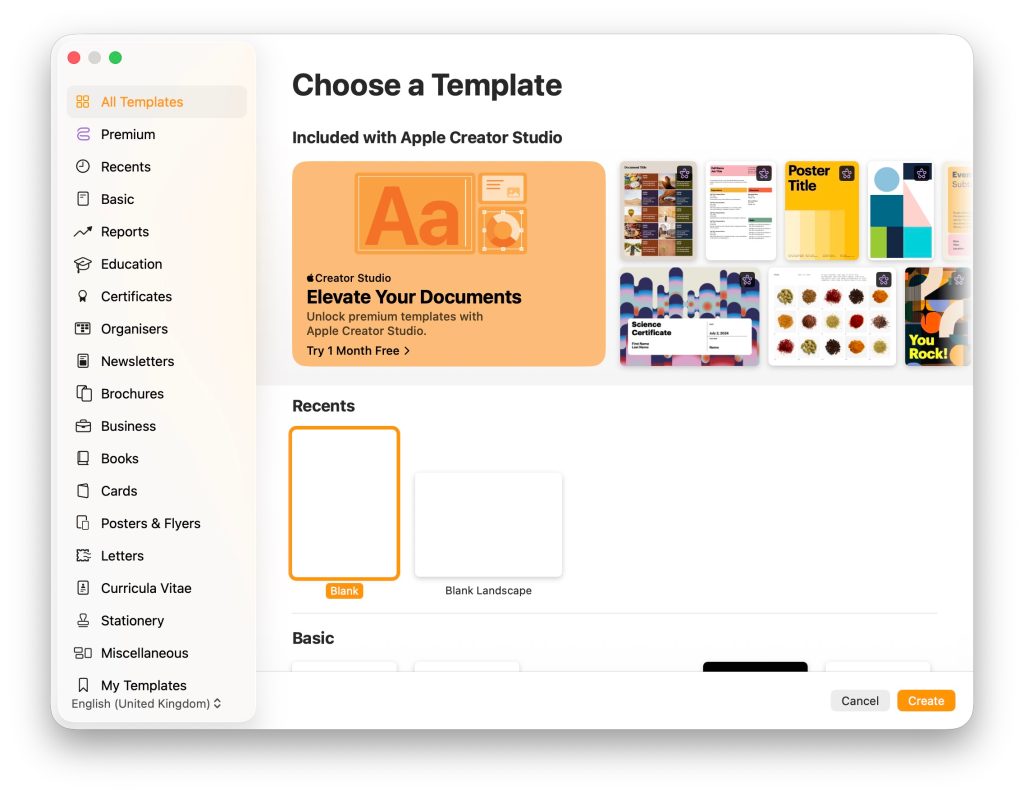
    Second, the user interface is different. Here, for example, is the toolbar for Pages 14.5:

    While this is the one for Pages 15:

    I’m not rushing to judgment on this. I’m going to stick with the new version for now, but it does give me some comfort that if I don’t get on with the UI, then I always have the option to revert.

    My advice then is to accept the invitation to update, but hold on to the old versions.


    Add 9to5Mac as a preferred source on Google
    Add 9to5Mac as a preferred source on Google

    FTC: We use income earning auto affiliate links. More.

    Freeform Keynote Mac Numbers Pages Update
    Share. Facebook Twitter Pinterest LinkedIn Tumblr Telegram Email
    TheWireHub.net
    • Website

    Related Posts

    iPhone 5s Gets New Software Update 13 Years After Launch

    January 31, 2026

    TEGNA Expands Local News Offering with First-of-Its-Kind Mobile App Delivering Thousands of Original Mobile Videos Daily from Trusted Local Reporters & Weather Teams

    January 29, 2026

    Tesla adds clever trick to release stuck charge cables

    January 27, 2026
    Leave A Reply Cancel Reply

    Top Posts

    CES 2026: The wearables, smart rings, and AI health tech we’re expecting

    December 26, 20254

    Should you update to the new Pages, Numbers, Keynote, and Freeform on Mac?

    January 30, 20263

    AI Became a Bogeyman to Gamers in 2025, but Developers Are Mixed on Its Potential

    January 2, 20263

    Report: LatAm smartphone shipments highest since 2015

    December 3, 20253
    Don't Miss
    Banking & Insurance

    Nubank Wins Conditional Approval for US National Bank Charter

    By TheWireHub.netJanuary 31, 20260

    Nubank has received conditional approval from the US Office of the Comptroller of the Currency…

    Here’s how Elon Musk’s SpaceX–Tesla merger could impact 20,000 bitcoin (BTC)

    January 31, 2026

    Phone chips are getting scarcer and more expensive in 2026

    January 31, 2026

    KnightPips Expands Access to Global Markets for UK Traders With Commission-Free Trading Platform

    January 31, 2026
    Stay In Touch
    • Facebook
    • Twitter
    • Pinterest
    • Instagram
    • YouTube
    • Vimeo

    Subscribe to Updates

    Get the latest creative news from SmartMag about art & design.

    About Us

    Welcome to TheWireHub, your trusted source for the latest insights, trends, and updates in finance and technology. We created TheWireHub with one mission: to make complex financial topics and fast-moving technology news simple, clear, and accessible for everyone.

    Facebook X (Twitter) WhatsApp
    Our Picks

    Nubank Wins Conditional Approval for US National Bank Charter

    January 31, 2026

    Here’s how Elon Musk’s SpaceX–Tesla merger could impact 20,000 bitcoin (BTC)

    January 31, 2026

    Phone chips are getting scarcer and more expensive in 2026

    January 31, 2026
    Categories
    • AI & Future Tech
    • Banking & Insurance
    • Cryptocurrency & Blockchain
    • Gadgets & Devices
    • Investments
    • Personal Finance
    • Software & Apps
    • Tech News
    © 2025 TheWireHub. All Rights Reserved.
    • Terms & Conditions
    • Privacy Policy
    • Contact Us
    • About Us

    Type above and press Enter to search. Press Esc to cancel.
